
BrandUte and ServiceM8 Together: A Practical Setup for Tradies
BrandUte can become the public Front Door customers enter through, while ServiceM8 manages the jobs, staff, schedules, quotes, invoices and field operations that follow. This guide explains the practical link-based setup available now and what a deeper automated integration would require.
BrandUte does not currently claim a native automated ServiceM8 integration. The practical setup described in this guide uses ServiceM8’s hosted enquiry or online-booking links as customer destinations from the BrandUte Front Door. Automated creation, syncing or updating of ServiceM8 records would require separate API integration development.
Use BrandUte to shape the customer’s entry. Use ServiceM8 to run the work.
The public acquisition layer
- Memorable business domain
- Professional business email
- Branded customer-facing page
- Service and location qualification
- Different pathways for different jobs
- Google, referral, signage and QR destination
Send suitable customers into ServiceM8
- Standard jobs continue to online booking
- Customers answer service-specific questions
- Available times can be presented
- Deposits or full payments can be collected
- The booking can create a ServiceM8 job
The operational delivery layer
- Job cards and customer history
- Staff scheduling and dispatch
- Quotes, invoices and payments
- Field staff access
- Customer communication
- Reporting and accounting integrations
A service business usually has two different technology problems.
The first is public-facing:
- Where should customers go after finding the business?
- How should the business present its services?
- What information should be collected?
- Which customers should be able to book immediately?
- Which jobs require a quote, callback or manual review?
The second problem is operational:
- Which staff member is attending?
- When is the job scheduled?
- What information needs to appear on the job card?
- How are quotes, invoices and payments managed?
- How is the complete customer and job history retained?
BrandUte and ServiceM8 can address those different layers without pretending that either product must do everything.
BrandUte can own the public customer entry point. ServiceM8 can become the operational system that manages suitable work after the handoff.
One memorable public destination, with ServiceM8 behind the appropriate booking paths.
Customers should not need to understand which systems the business uses. They should begin at the same branded destination and be guided according to what they need.
BrandUte public Front Door
The customer sees the business, chooses a service, supplies the relevant information and is directed towards the right next step.
- Business domain
- Public service presentation
- Service-area checks
- Qualification questions
- Quote requests
- Callback requests
- Direct booking links
- Deposit pathways
- Review journeys
ServiceM8 booking and operations
Suitable standard services continue into ServiceM8, where the customer can complete the booking and the business can manage the job.
- Service-specific questions
- Live quote or price
- Available booking times
- Deposits or prepayments
- Automatic job creation
- Job cards
- Staff allocation
- Quotes and invoices
- Operational history
Decide which system owns each part of the experience.
Public acquisition and qualification
- Selected business domain
- Professional domain-based email
- Business identity and service presentation
- Service-area and customer-fit checks
- General job qualification
- Pathways for quotes, callbacks and bookings
- Links used in Google, signage and marketing
- Branded QR-code destinations
- Public Front Door hosting and setup
Booking completion and job operations
- Detailed service-specific booking questions
- Service pricing and quote calculations
- Schedule and staff availability
- Confirmed booking creation
- Job cards and job diary
- Staff assignment and notifications
- Operational quotes and invoices
- Payment collection and records
- Customer and job history
Start simple, then add complexity only when it creates enough value.
Level 1: Link-based handoff
BrandUte directs the customer to the appropriate ServiceM8 hosted booking or enquiry page.
- Fastest setup
- No API development
- ServiceM8 remains responsible for booking details
- Can use different ServiceM8 links for different services
- Suitable for most initial implementations
This provides the clearest benefit with the lowest technical and maintenance risk.
Level 2: Qualified enquiry handoff
BrandUte collects the enquiry first. The business reviews it and then creates or progresses the job in ServiceM8.
- Useful for complex or high-value work
- Allows manual qualification before scheduling
- Photos and details can be reviewed first
- May involve some duplicate data entry
- Does not require API development
The business retains control before creating a job or offering booking access.
Level 3: Automated API integration
BrandUte and ServiceM8 exchange customer, enquiry, job or status data automatically.
- Can reduce duplicate entry
- Could create jobs from qualified requests
- Could return job-status updates
- Requires authentication and field mapping
- Requires monitoring and ongoing maintenance
This would need separate scoping, development, security testing and support.
How to configure the link-based BrandUte and ServiceM8 workflow.
The aim is to avoid creating two competing public journeys. BrandUte should be the main customer destination, while ServiceM8 is used where its booking and operational capabilities add value.
Define the services offered through the public Front Door
List the service categories customers should see, the locations covered and the jobs the business does not want.
Separate standard services from complex work
Decide which services can be priced and scheduled consistently and which require manual review, photographs, an inspection or a custom quote.
Configure the ServiceM8 Services add-on
Create the ServiceM8 services that are suitable for self-service booking. Configure their descriptions, questions, pricing, duration, scheduling rules, staff capability and policies.
Copy the relevant ServiceM8 booking links
ServiceM8 provides a unique online-booking link and prebuilt website button code. Record the central services link and any service-specific links needed for the BrandUte pathways.
Configure the BrandUte decision paths
BrandUte presents the services and applies the initial business rules before deciding which customer action should be offered.
Avoid asking the same questions twice
Keep the BrandUte pre-check short when ServiceM8 will collect the detailed booking information. Collect the full information in BrandUte only when the enquiry remains in the BrandUte review path.
Test the complete mobile journey
Test every service path from the public BrandUte page through to the correct ServiceM8 form, confirmation and resulting job record.
Use the BrandUte domain across every public channel
Send Google, referral, advertising, signage, QR-code and social traffic to the BrandUte Front Door rather than exposing several different forms and links.
The handoff should change according to the type of work.
Standard service suitable for online booking
Example: a repeatable inspection, maintenance visit or fixed-price service.
- The customer arrives at the BrandUte domain.
- BrandUte confirms the service category and location.
- The customer selects the booking action.
- The relevant ServiceM8 service page opens.
- ServiceM8 collects detailed pricing and scheduling answers.
- The customer sees available times and completes payment if required.
- ServiceM8 creates and schedules the job.
- ServiceM8 manages staff, job delivery, invoicing and history.
Complex work requiring manual review
Example: renovation painting, diagnosis work or a high-value custom project.
- The customer arrives at the BrandUte domain.
- BrandUte confirms the service area and broad job fit.
- The customer provides a description, timing and photographs.
- The business reviews the qualified request.
- The business requests more information or arranges an inspection.
- A ServiceM8 job is created manually or through a future integration.
- ServiceM8 manages the quote, acceptance, schedule and job delivery.
- The completed customer can return to a branded review pathway.
Decide which system is the source of truth for each type of information.
Without a native integration, some information may exist in both systems. Clear ownership prevents staff from treating outdated records as current.
| Information | Recommended primary location | Reason |
|---|---|---|
| Public business details | BrandUte | BrandUte controls the public business Front Door and customer presentation. |
| Services and service-area pre-checks | BrandUte | These determine which public pathway the customer sees. |
| ServiceM8 pricing questions | ServiceM8 | ServiceM8 uses these answers for its live pricing and scheduling process. |
| Confirmed job record | ServiceM8 | The job card, staff assignment and operational history should remain together. |
| Staff schedule | ServiceM8 | ServiceM8 should remain the authoritative schedule when it is the field-operations platform. |
| Quotes and invoices | ServiceM8 for operational jobs | This reduces fragmented financial and job records. |
| BrandUte-qualified enquiry not yet accepted | BrandUte | A non-job enquiry does not need to become a ServiceM8 job until the business decides to progress it. |
| Customer payment record | The system that processed the payment | Refunds, receipts and transaction records should remain connected to the responsible payment process. |
| Review request status | Configured workflow | Choose one system to trigger the review request to avoid duplicate messages. |
Two systems are valuable only when the customer journey remains simple.
Duplicate questions
Asking the same customer for their postcode, address and job details twice creates friction and can reduce completion.
Split customer records
A BrandUte enquiry and a ServiceM8 job may not automatically remain synchronised without custom integration.
Broken booking links
Changes to ServiceM8 services or published forms should be checked against the BrandUte customer pathways.
Duplicate communication
Confirm which system sends booking confirmations, payment reminders and review requests.
The goal is not to insert BrandUte into every step. The goal is to use BrandUte where it improves customer acquisition and ServiceM8 where it improves operational delivery.
What an automated BrandUte and ServiceM8 integration could eventually do.
ServiceM8 provides a REST API for third-party applications and supports webhook subscriptions for changes and business events. This creates a technical pathway for future integration, but not an automatic promise that every workflow should be connected.
Current practical setup
BrandUte links suitable customers to ServiceM8 hosted forms. Complex enquiries are reviewed before staff create or progress the job.
One-way job creation
A future integration could create a ServiceM8 customer or job after a BrandUte enquiry meets defined conditions and is approved.
Two-way status workflow
Job, quote, booking or completion changes could update the BrandUte journey and trigger the appropriate customer action.
What custom development would need to cover
- ServiceM8 authentication and account authorisation;
- mapping BrandUte fields to ServiceM8 customers and jobs;
- duplicate-customer detection;
- job-category and status mapping;
- attachment and photograph handling;
- webhook receipt and retry behaviour;
- security, privacy and access controls;
- error handling and reconciliation;
- customer consent and record retention;
- logging, monitoring and ongoing API maintenance; and
- support when either platform changes its data model.
An API connection should be built only when the avoided administration and improved customer experience justify that additional complexity.
Official source: ServiceM8 REST API overviewOfficial source: ServiceM8 Webhooks overview
The combined setup is useful when each platform has a clear job.
Strong fit
- The business already uses ServiceM8 operationally.
- The existing website or public intake converts poorly.
- Some services can be booked automatically.
- Other services require qualification or manual review.
- The business wants one memorable marketing domain.
- Staff need ServiceM8 to remain the operational system.
Possible fit
- The business plans to adopt ServiceM8 soon.
- It needs a public customer journey before a full migration.
- It wants to separate quote requests from direct bookings.
- It accepts a link-based handoff initially.
- It has enough direct traffic to justify conversion work.
Probably unnecessary
- The current website converts strongly.
- ServiceM8 online booking already handles every service well.
- The business does not need pre-booking qualification.
- The existing domain and email are effective.
- Adding another customer layer would create more friction.
Explore the public Front Door described in this workflow.
PaintCrew demonstrates how a customer can begin under the business’s own domain, choose a service, provide useful information and continue towards a booking, quote or payment action.
The public customer Front Door
Customers see the business, choose a service and enter the appropriate qualification or booking pathway.
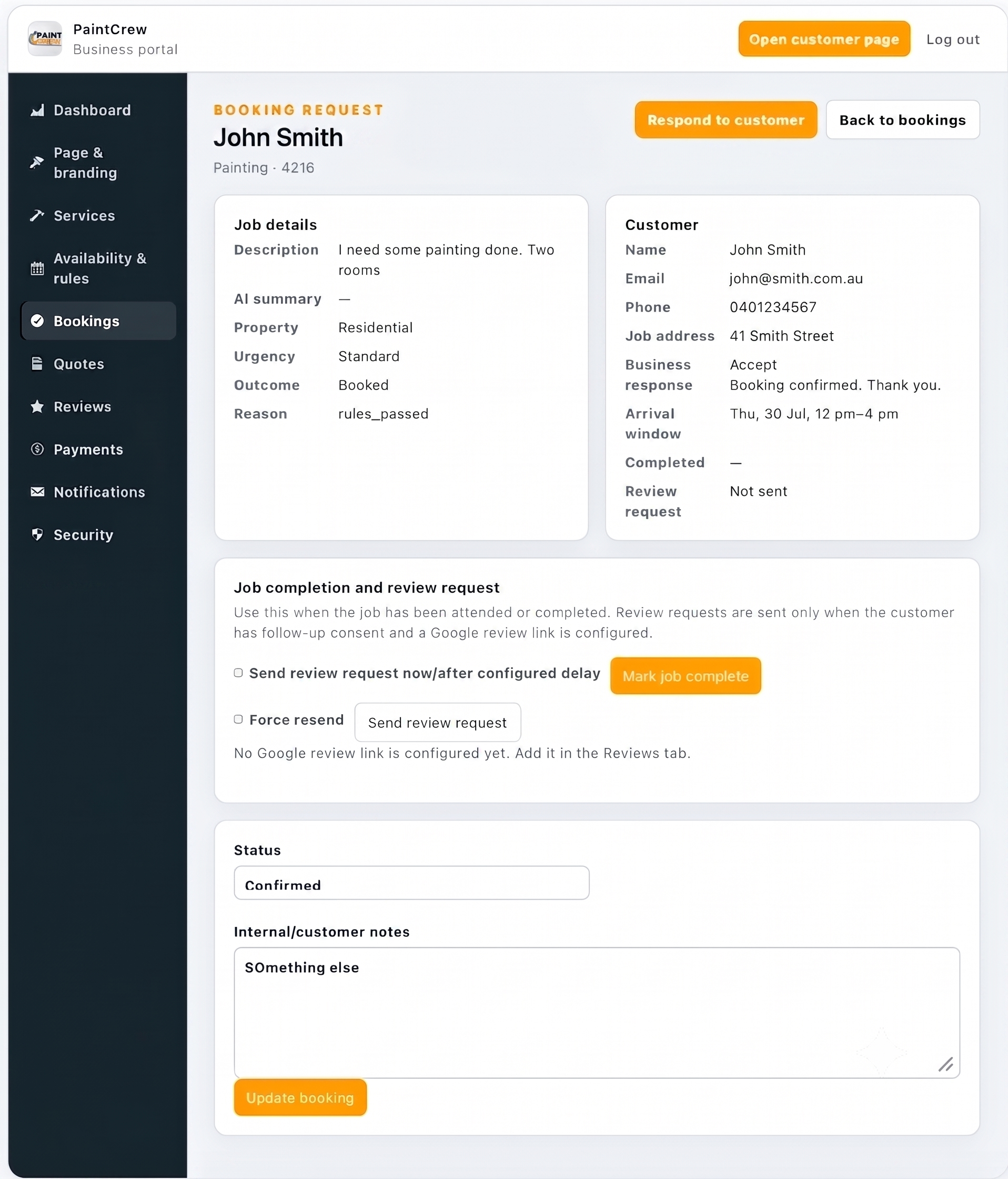
Qualified booking request
More complex work can be reviewed before it becomes an operational job.
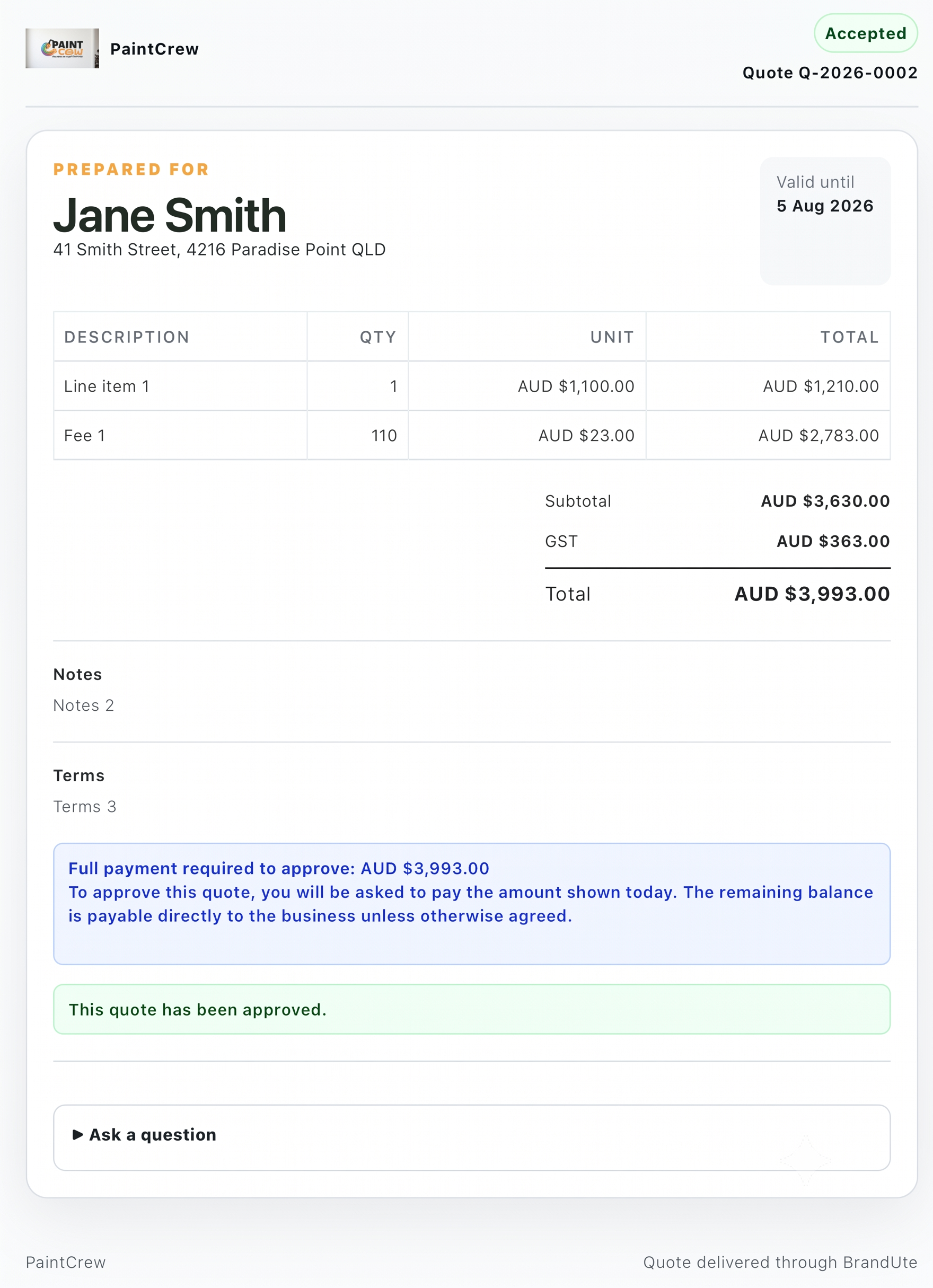
Quote and payment pathway
Suitable enquiries can continue into a branded quote, acceptance and payment process.
Try the customer-facing journey.
Open PaintCrew inside this article or visit the demonstration in a separate browser tab.
PaintCrew is a BrandUte demonstration using sample customer and transaction information.
BrandUte and ServiceM8 workflow questions
Is BrandUte currently integrated directly with ServiceM8?
No native automated integration is claimed. BrandUte can direct suitable customers to a ServiceM8 hosted enquiry or online-booking page. Automated creation or syncing of jobs and customers would require separate integration development.
Can BrandUte link directly to a specific ServiceM8 service?
ServiceM8 provides online-booking links for published services and a central services page. A BrandUte customer pathway can therefore be connected to the relevant ServiceM8 destination.
Does ServiceM8 already collect customer job information?
Yes. ServiceM8’s Services add-on can ask service-specific and conditional questions, including multiple-choice, numeric, free-text and photo questions. Its simpler enquiry form can also receive descriptions, photographs and documents.
Why not send every customer directly to ServiceM8?
That may be the right choice for a business whose services are clearly standardised and whose ServiceM8 booking journey already converts well. BrandUte becomes more useful when the business wants a broader public identity, several possible customer pathways or qualification before offering booking access.
Can ServiceM8 collect deposits during online booking?
Yes. ServiceM8’s Services add-on can be configured to collect a fixed or percentage deposit, or full prepayment, when the connected payment setup is enabled.
Will customers need to enter their details twice?
They should not be asked for the same detailed information twice. In a link-based workflow, BrandUte should collect only the details needed to select the correct path, while ServiceM8 collects the detailed booking and pricing information. Complex enquiries that remain in BrandUte may require a separate manual ServiceM8 entry.
Which system should send booking confirmations?
ServiceM8 should generally send confirmations for bookings created in ServiceM8. BrandUte should avoid sending a second confirmation for the same booking unless the messages have clearly different purposes.
Which system should send review requests?
Choose one primary workflow. Either ServiceM8 can trigger its customer follow-up after completion, or the business can use a BrandUte review journey. Running both without coordination can create duplicate requests.
Could BrandUte create ServiceM8 jobs automatically in future?
ServiceM8 provides a REST API and webhooks that can support third-party integration. A future implementation could potentially create or update records, but it would require development, authentication, field mapping, error handling, security controls and ongoing maintenance.
Do I need BrandUte if ServiceM8 online booking already works well?
Not necessarily. A business with an effective website, memorable domain and well-performing ServiceM8 booking journey may not gain enough additional value from another public layer. BrandUte is most relevant where the customer entry and qualification process remains the weak point.
The strongest combined setup gives each platform a clear responsibility.
Use BrandUte as the public domain and customer Front Door when the business needs stronger branding, qualification and multiple customer pathways.
Use ServiceM8 to complete standard online bookings and manage the operational work through scheduling, job cards, staff, quotes, invoices, payments and customer history.
Begin with a link-based handoff. It provides most of the customer benefit without the cost and maintenance burden of a custom API integration.
Consider deeper integration only when the volume of duplicate administration, the required workflow automation and the business value justify building and maintaining it.
BrandUte does not need to replace ServiceM8. It can give customers a better way to enter it.
Official ServiceM8 information used in this guide
This guide was reviewed on 23 July 2026. ServiceM8 capabilities, links, APIs, add-ons and documentation can change. Confirm important implementation details directly with ServiceM8 before building a customer or software integration.
- ServiceM8: Online Booking System
- ServiceM8: Creating Online Booking Forms and Services
- ServiceM8: Adding an Online Booking Form to a Website
- ServiceM8: Simple Online Enquiry Form
- ServiceM8: Deposits and Payments with the Services Add-on
- ServiceM8 Developer Documentation: REST API Overview
- ServiceM8 Developer Documentation: Webhooks Overview